Imply 2.2 adds new Pivot features that enhance filtering flexibility, especially for time filters, new percent of total measures, and tuning for approximate quantiles.Check out the screenshots below that show these new Pivot features in action.
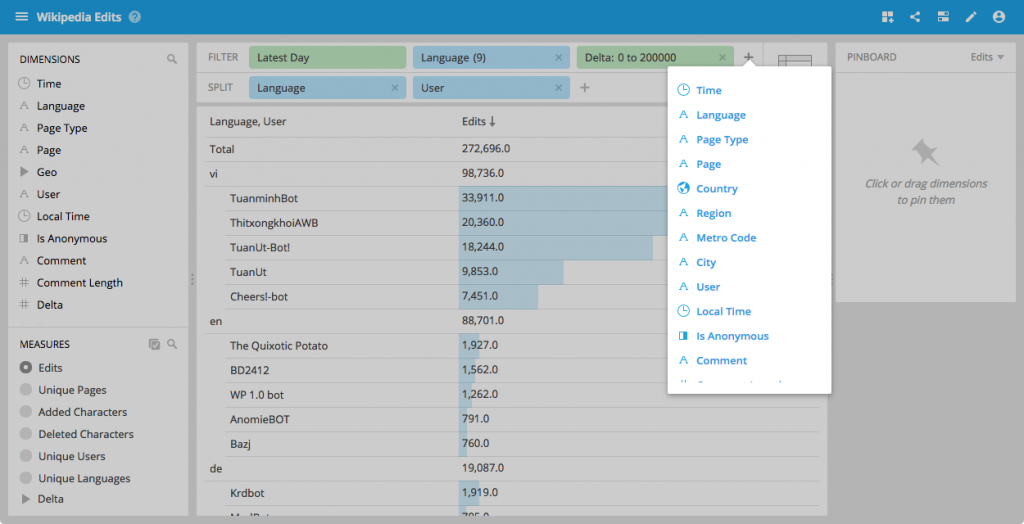
Adding filters from the filter bar
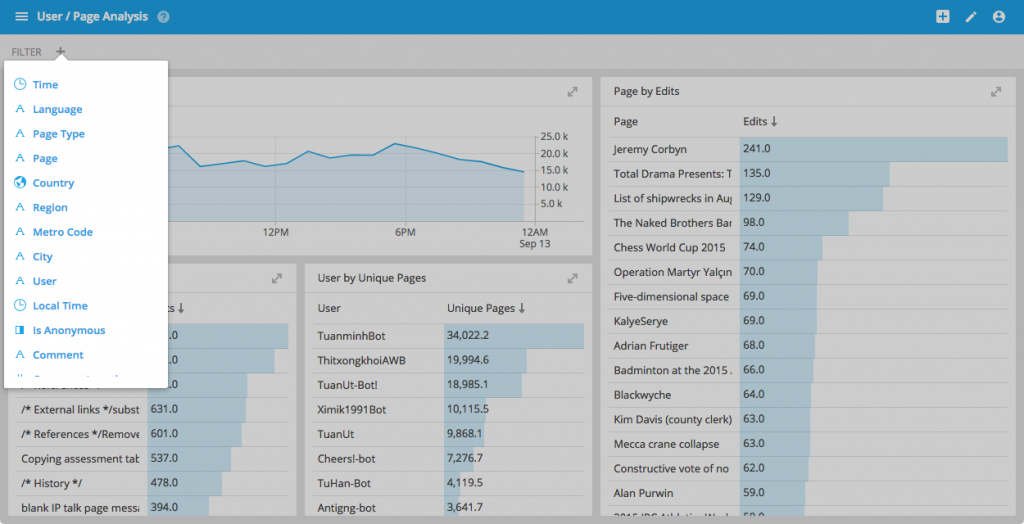
You can now add filters directly from the filter bar.
This is particularly useful in interactive collections, where you can now add arbitrary filters.
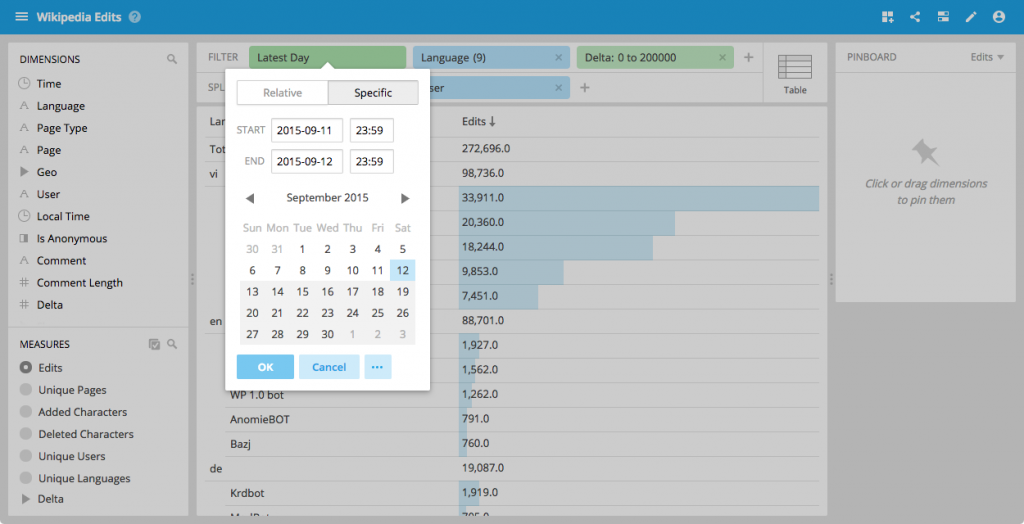
Precise time picking
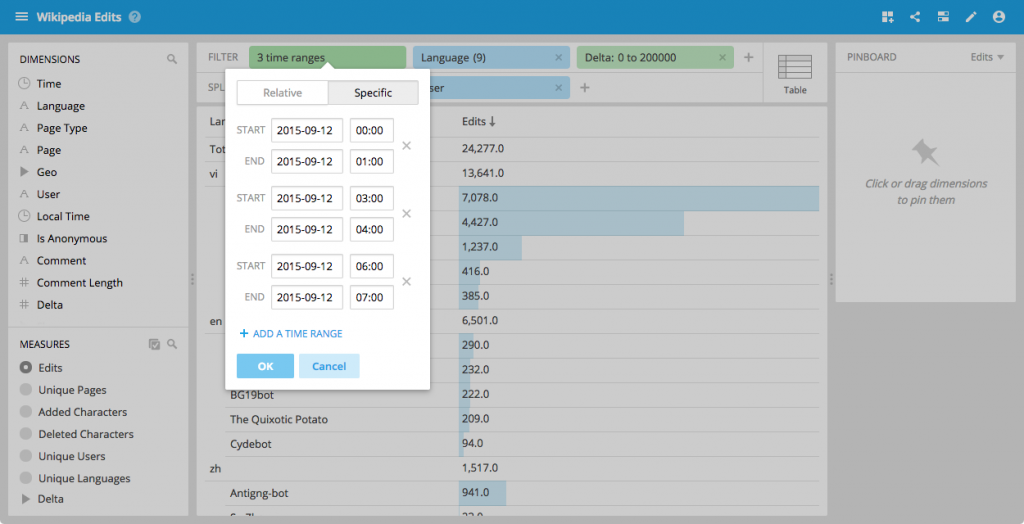
We have upgraded the Pivot time filter menu to allow you to select a precise time.
You can now also select several time ranges.
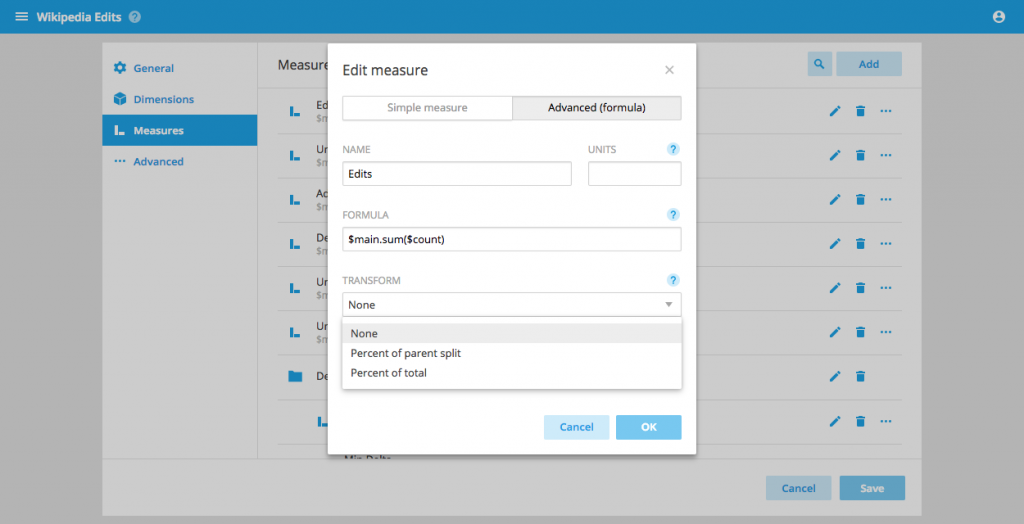
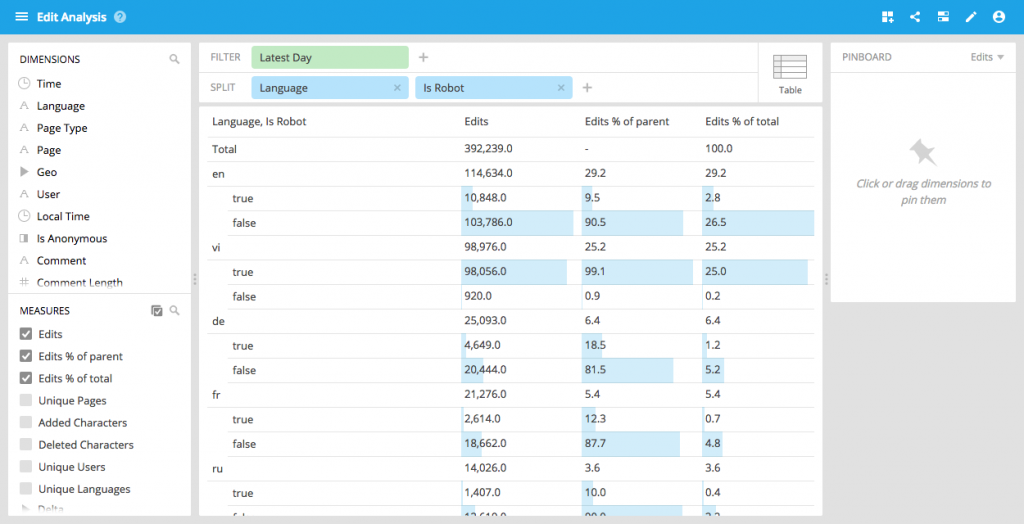
Percent of total measures
You can now configure measures that are defined as a percentage of their next higher split (or of the global total).
This in effect transforms the measures on the client side.
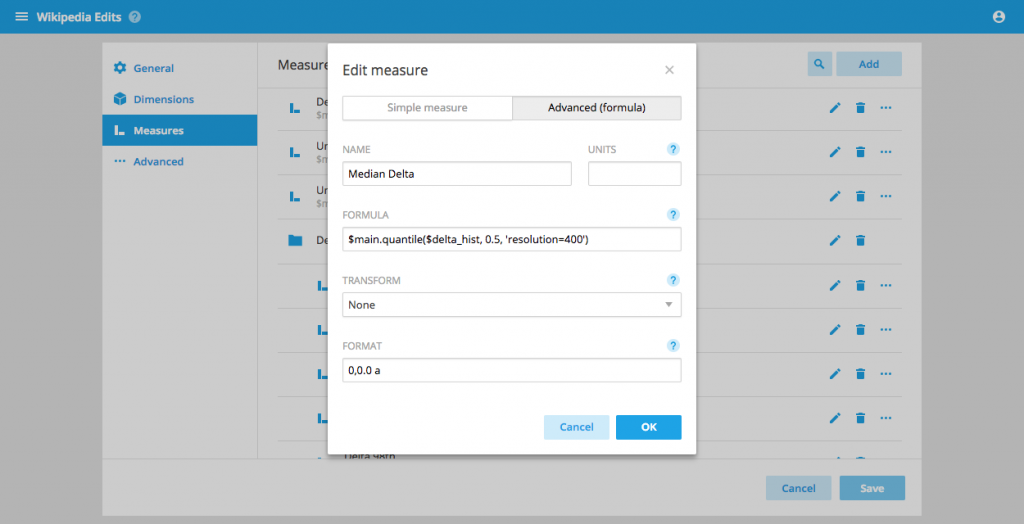
Tunable approximate quantiles
It is now possible to fine-tune approximateHistogram based quantiles, allowing you to determine your trade-off between performance and accuracy.
Enter a 3rd parameter in the quantile formula of the form 'resolution=400,numBuckets=10,lowerLimit=0,upperLimit=1000' to pass those tuning parameters to the underlying aggregator.
To understand how to tune the approximateHistogram parameters check out the Druid documentation
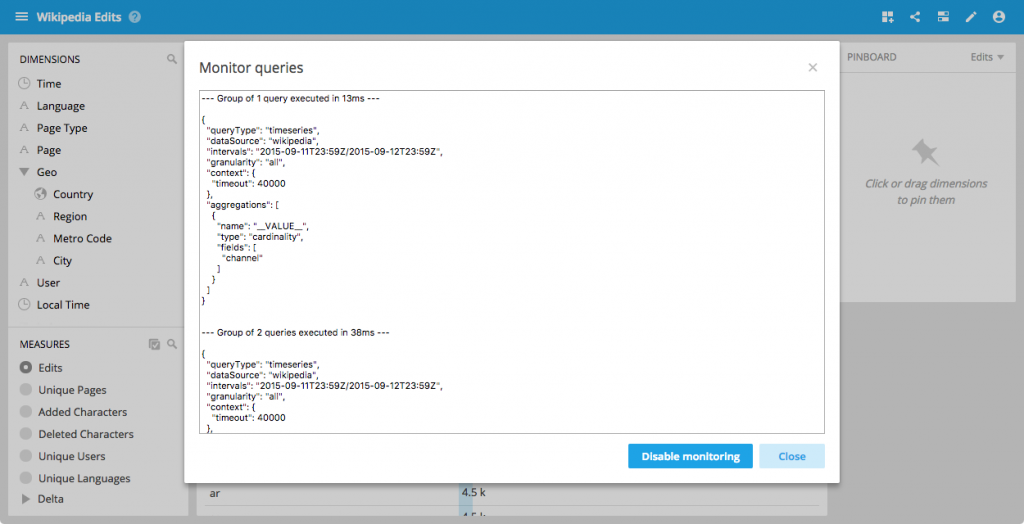
Query monitoring
Have you ever wondered what queries are being issued under the hood as you fly around your data? While it was been possible to run Pivot in verbose mode since the first release you can now inspect your queries directly from the UI.
In addition to all of the above we also improved the consistency of some Pivot workflows as well as greatly reducing the number of queries that Pivot will issue to Druid.
And my favourite tiny feature in this release: the titles of the browser tabs will now show the names of the data cubes and collections.
Hope you enjoy.
Getting started
You can get the latest version of Imply on our download page. To learn more, please see our documentation. Any feedback, bug reports and feature requests are always welcome – you can post them in our user group or contact us.
Other blogs you might find interesting
No records found...
Jun 16, 2025
10 Years of Imply: From Apache Druid to What’s Next in Real-Time Analytics
We’ve officially hit double digits! Ten years ago, a few Druid-obsessed engineers asked a radical question: What if analytics didn’t have to be slow, stale, or stuck in dashboards? Back then, we were just...
Real-Time Observability Without Operational Overhead: What’s Next?
Observability is meant to provide clarity, speed, and confidence in modern systems. Yet for many organizations, it has become a source of complexity, cost, and operational drag. Managing pipelines, tuning...
It’s Time to Rethink Observability: The Event-Driven Future
Observability has evolved. Forward-looking teams are already moving beyond static dashboards and fragmented telemetry—treating all observability data as events and unlocking real-time insights across their...
 Vadim Ogievetsky